| |
EDI Viewer - AC2 CPAF Calculation & Copy Function |
The AC2 CPAF Calculation is used to edit and enter custom processing volumes for the facility cost center.
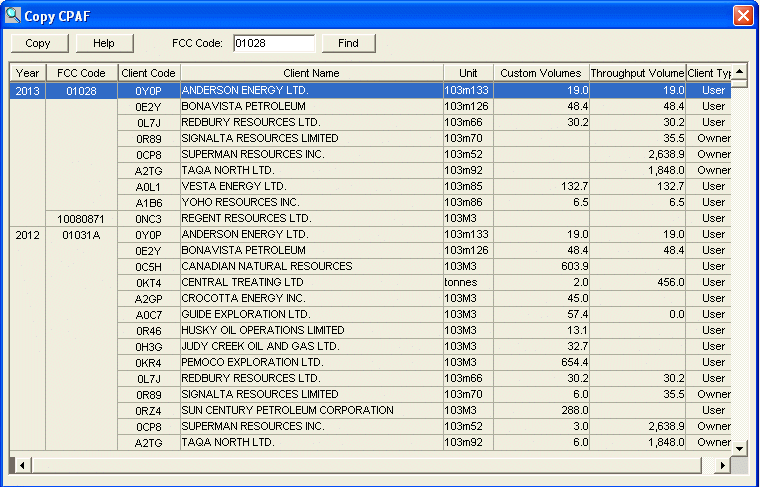
The AC2 CPAF Copy function is used to copy custom volumes.
Part 5 allows you to enter the custom volumes for each user and throughput volume for each owner in the FCC. These volume totals are using to calculate the custom processing adjustment factor, which is then transferred to Part 4 - CCA Allocations.

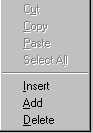
To add or insert a new Custom Volume, you can
do any one of the following:
To delete a Custom Volume, click on the row to delete and do any one of the following:
To copy custom volume from an existing FCC, do the following:
|
 |
Business Rules:
|
|
| To enter an AC2, click on the tab Part 1-2 - AC2. When you change tabs, your data is saved, so in this case, all data on tab AC2 - Parts 1,2 would be saved if it passed validation. | |
| To enter AC2 Capital Additions, click on the tab Part 3 - Capital Additions. When you change tabs, your data is saved, so in this case, all data on tab AC2 - Parts 1,2 would be saved if it passed validation. | |
| To enter AC2 CCA Allocations, click on the tab Part 4 - CCA Allocations. When you change tabs, your data is saved, so in this case, all data on tab AC2 - Parts 1,2 would be saved if it passed validation. | |
| To Print an AC2 form, click the Print toolbar button or choose Print from the File menu. It does not matter which tab you are on when you print. |