
|
EDI Viewer - Facility Cross Reference
|
EDI Viewer has a list of all facilties that have been
imported.
If you do not want to use the government facility names, you
can enter your own name and it will be used in the Facility list
on the query parameters.
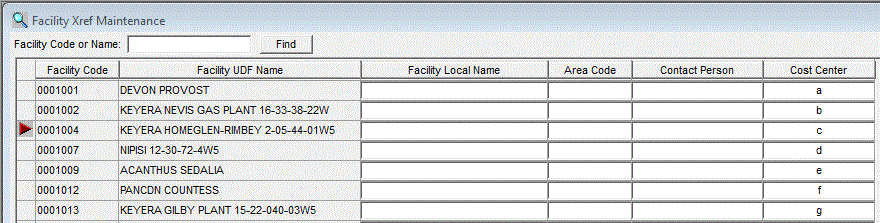
There are 4 columns where it is possible to add details:
Facility Local Name: This allows you to create a "nickname" for facilities
and will override the Facility UDF Name, allowing you to
filter or query reports using the Local Name.
Area Code: This columnn is used in reports to provide additional querying options.
Area codes are created in the Area Code maintenance Window.
Contact Person: Provides information and can be used in reports.
Cost Center: Links a Facility to a Cost Center. This is necessary if you plan
on prorating invoices to a facility level.