
| |
EDI Viewer - Form Tracking |
The Form Tracking window is used as an audit trail to track who, when, and the status of AC forms that were sent to the government. On the AC forms, the date prepared tells you when you created the AC form, but not when it was actually sent to the gov't. Form Tracking helps you do this so you know the status of where you are at in your filing.
This window updates the AC forms with the sent by, sent date, and gov't status information and then this information is available on the FCC Status reports. This window can also be used to check off the 'First AC2' box for many AC2's at once.
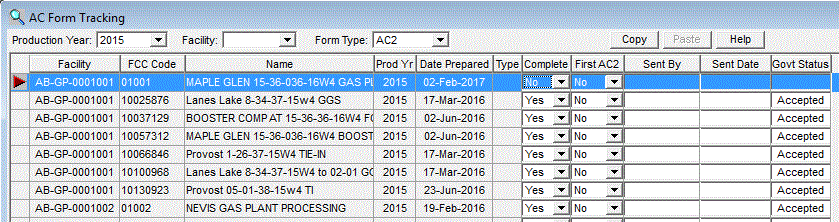
To use Form Tracking:
Note: In the Form Type list box, you will see entries titled AC2 File and AC4 File. If you choose one the these form types and click Retrieve, you do not get a list of FCCs, but a list of the AC2 or AC4 filenames that were used to send electronic forms to the govt. When you enter a Sent By, Sent Date, or Govt Status for these rows and Save them, every AC2 or AC4 form that was in the file is updated with this information.
|
|
| To Print, click the Print toolbar button or choose Print from the File menu. | |
| To Export, click the Export toolbar button to save this data in another format. | |
| To Filter, click the Filter toolbar button to set a filter to see a specific group of contact persons. |